Facebook Cover Photo Size: Desktop and Mobile Disagree
Facebook's own help page gives three numbers that do not reconcile: a 16:9 desktop display, a 2.4:1 mobile display, and an 851 × 315 file that matches neither.
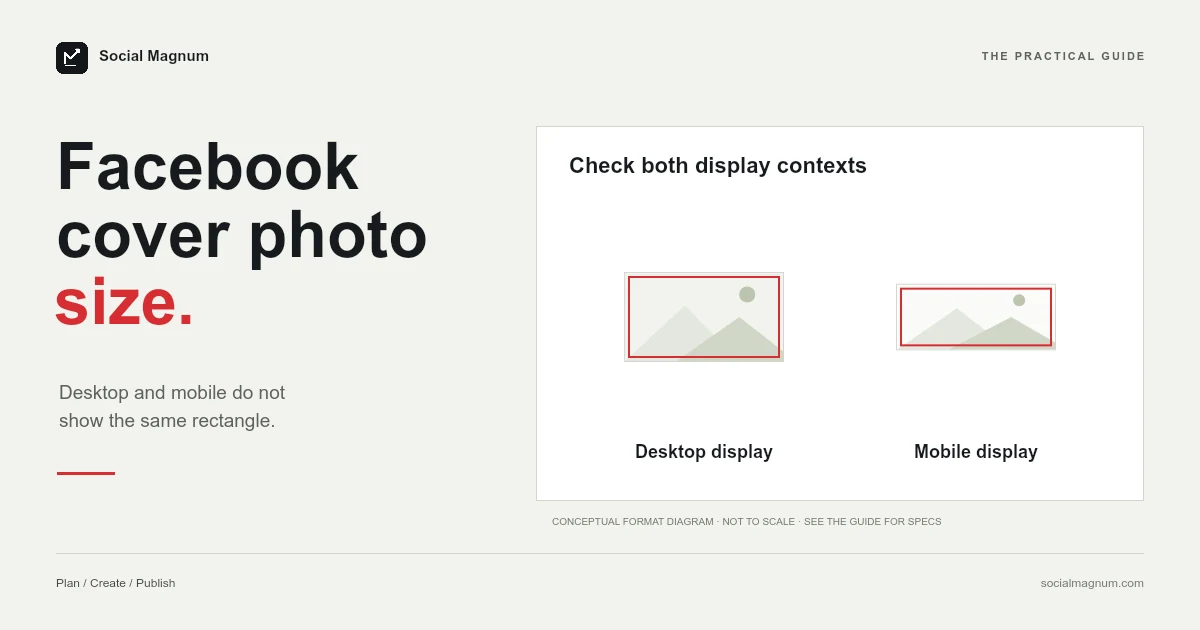
Facebook recommends a cover photo 851 pixels wide by 315 tall. It also says the cover displays at a 16:9 aspect ratio on a computer and a 2.4:1 aspect ratio on a phone.
Those are three different shapes, and that is not a typo on our part — all three are on Facebook’s own help page, one under the other. Understanding why they disagree is the difference between a cover that survives both screens and one that looks fine on your laptop and loses its left-hand third on everyone’s phone.
What size is a Facebook cover photo?
| Item | Figure | Where it comes from |
|---|---|---|
| Cover file to upload | 851 × 315 px, sRGB JPG, under 100 KB | Facebook help page |
| Desktop display shape | 16:9 | Facebook help page |
| Mobile display shape | 2.4:1 | Facebook help page |
| Absolute minimum | 400 × 150 px | Facebook help page |
| Page profile picture | 320 × 320 px, shown as a circle | Facebook help page |
Key facts, read from Facebook’s Page profile picture and cover photo dimensions help page on 21 August 2026: the cover loads fastest as an sRGB JPG 851 pixels wide, 315 tall and under 100 KB; it must be at least 400 × 150; it displays left-aligned with a full bleed at 16:9 on computers and 2.4:1 on phones, where the profile picture overlaps it by about 40 pixels; a PNG may give a better result for covers with a logo or text. 851 × 315 is a 2.70:1 file, so it is cropped to both display shapes. The widely quoted 820 × 312 (often called the Facebook banner size) is not on the page.
Desktop is 16:9. Mobile is 2.4:1.
This is the part that explains almost every bad Facebook cover you have ever seen.
Facebook does not simply scale one image down for phones. It presents the cover in two genuinely different rectangles: 16:9 on a computer, which is a fairly ordinary landscape shape, and 2.4:1 on mobile, which is far wider and shorter.
Both versions are described by Facebook as left-aligned with a full bleed, so the cropping is not symmetrical either. The image is anchored to the left, which matters more than it sounds once you know what else lives on that side.
The recommended file matches neither shape
Here is where it stops being tidy. Do the division on the file Facebook actually recommends and it is not 16:9, and it is not 2.4:1 either.
| What | Ratio | As a number |
|---|---|---|
| Recommended file (851 × 315) | 2.70:1 | 2.702 |
| Desktop display | 16:9 | 1.778 |
| Mobile display | 2.4:1 | 2.400 |
The file Facebook tells you to upload is wider, proportionally, than either place it gets shown. That is not an error so much as a consequence of one asset serving two layouts: you supply a wide strip, and Facebook takes the piece it needs for whichever screen is asking.
The practical reading is that the exact pixel dimensions matter far less than people assume, and the composition matters far more. There is no single canvas size that avoids cropping, because two different crops are going to happen regardless.
Where 820 × 312 came from
Search this and most results will hand you 820 × 312 rather than 851 × 315. Canva says it. So do socialsizes.io, postfa.st and Constant Contact.
It is worth being careful before calling that wrong. 820 × 312 works out at 2.628:1, which is close to — but not the same as — the 2.702:1 of Facebook’s own recommendation. It is a real, long-circulating figure that describes the desktop display area rather than the file Facebook asks for.
Build at 820 × 312 and nothing breaks. Build at 851 × 315 and you are using the number on Facebook’s page. Either way the image is re-cropped twice, which is why the argument matters far less than the guides fighting over it suggest.
Your profile picture sits on top of it
Facebook states this plainly: the left-hand side of your cover photo will be partially covered by your profile picture, and it adds that on mobile the profile picture overlaps the cover by approximately 40 pixels.
- Keep logos, names and any text out of the left portion of the frame. That region is occupied on every device, and more so on phones.
- Treat the left third as background. Texture, gradient or a continuation of the image — nothing that needs to be read.
- Put whatever matters slightly right of centre, where it survives both the 16:9 and the 2.4:1 crop and stays clear of the avatar.
JPG or PNG? Facebook says both
Facebook’s page appears to contradict itself here, and it does not — it is answering two different questions.
For speed, it says the cover loads fastest as an sRGB JPG at 851 × 315 and under 100 kilobytes. For quality, it says that profile pictures and cover photos containing a logo or text may get a better result as a PNG.
The reconciliation is the usual one. JPEG compression smears hard edges, which is exactly what type and logos are made of, so a graphic-heavy cover looks visibly better as PNG. A photographic cover has no hard edges to protect and should be a JPG, where it will be a fraction of the size.
The 100 kilobyte target
Under 100 KB is a demanding number by modern standards, and it is a target rather than a limit — a larger file uploads fine, it just loads more slowly.
It is achievable for a photographic cover at 851 × 315, because that is only about 268,000 pixels in total, roughly a quarter of a 1080p frame. A JPEG at quality 80 will usually land well under the target. A PNG carrying a logo will not, and that is a reasonable trade to make for type that stays sharp.
The Page profile picture: 320 × 320
Facebook asks for 320 × 320 for best quality; the display sizes, and the guides that invert them, are in our guide to the Facebook profile picture size. Since the two images are set up together, it is worth knowing that it then displays at 176 × 176 on computers, 196 × 196 on smartphones and 36 × 36 on feature phones.
It is cropped to a circle, so the corners of your square are removed. A logo that fills its canvas edge to edge loses them; one with breathing room around it does not. And at 36 pixels the image is barely larger than a favicon, which is an argument for a mark rather than a wordmark.
Pages and personal profiles are not the same image
Worth separating, because the two get searched for interchangeably and Facebook documents only one of them properly.
Every figure on this page comes from Facebook’s specification for Pages — the business and creator surface. A personal profile also has a cover photo, it sits in a different layout with the avatar positioned differently, and Facebook does not publish an equivalent specification table for it.
In practice people design both at the same dimensions and it works, because the underlying constraint is identical: a wide, short strip, cropped differently on desktop and mobile, with an avatar sitting over one end of it. If you are building a personal cover, use the same 851 × 315 canvas and the same compositional rules, and treat the exact numbers as less reliable than they are for a Page.
Event and group covers are different rectangles again, 1920 × 1080 and 1640 × 856: see Facebook event cover photo size and Facebook group cover photo size. Feed images follow their own rules in Facebook post size.
You can use a video instead
Pages can run a cover video rather than a still, and it inherits every constraint above plus a few of its own.
The same two crops apply, so a video composed for a 16:9 desktop frame loses its top and bottom on a phone exactly as an image would. The avatar still sits over the left side. And because a cover video plays without sound and without controls in most placements, anything conveyed by audio or by a slow reveal is wasted.
The version that works is a short, quiet loop with the movement in the middle of the frame and no text near the edges — closer to a moving background than to a piece of video content.
It is also worth checking what the still frame looks like on its own, since a cover video falls back to a static image in plenty of placements, and that fallback is chosen for you rather than by you.
Cover photo size in inches and centimetres
A Facebook cover has no physical size — it is a screen image measured in pixels, and how many inches it fills depends entirely on the display.
If your design tool insists on physical units, 851 × 315 pixels at the 96 pixels-per-inch web standard is 8.86 × 3.28 inches, or roughly 22.5 × 8.3 centimetres. At the 300 DPI print default it is 2.84 × 1.05 inches. Set the document units to pixels instead.
How to resize an image for a Facebook cover
The job is a crop to a very wide, very short strip, which is unforgiving of most source photographs. Almost nothing is shot at 2.7:1, so the crop discards the majority of the height and the result depends on which horizontal band you keep.
Because the image is cropped twice more after you upload it, the safest approach is to compose with generous margins: subject right of centre, nothing important near the top, bottom or left edge, and no text that has to survive a shape change.
Our free image resizer does this in the browser, with no upload to a server and no account. Set 851 × 315, choose the band the frame should keep, and export as JPG to stay near the 100 KB target — or PNG if the cover carries a logo.
One image displayed as two different rectangles is not unique to Facebook covers. Our guide tosocial media image sizes covers where else it happens, and which of the figures involved are documented rather than assumed.
The short version
- 1
Facebook recommends 851 × 315, sRGB JPG, under 100 KB
- 2
Desktop shows the cover at 16:9 and mobile at 2.4:1 — two different crops
- 3
The recommended file is 2.70:1, so it matches neither display shape
- 4
Your profile picture covers the left side, by about 40 px more on mobile