Facebook Post Size: The Ratios Facebook Actually Keeps
Four different answers sit on page one because Facebook publishes no size for an organic feed post. The page ranking first is documentation for ads.
Search for a Facebook post size and you will be handed 1080 × 1350, 1440 × 1800, 1200 × 630 and 1080 × 1359, all on the first page, all stated with confidence.
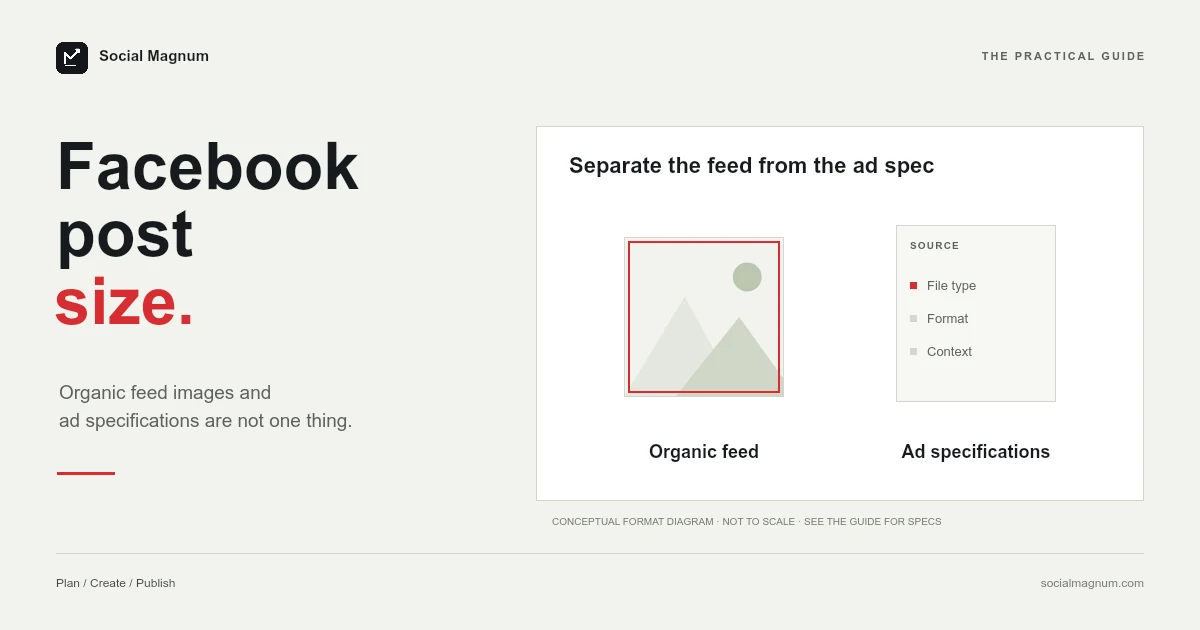
They disagree because Facebook does not publish an image size for an ordinary feed post. There is no specification to be right or wrong about — which changes what you should actually be optimising for.
What size should a Facebook post be?
| Post type | Use | Ratio |
|---|---|---|
| Portrait photo | 1080 × 1350 | 4:5 |
| Square photo | 1080 × 1080 | 1:1 |
| Landscape photo | 1080 × 566 | 1.91:1 |
| Link preview card | 1200 × 630 | 1.91:1 |
Key facts: Facebook publishes no image size for an organic feed post. The page that ranks first for the query, Meta’s ‘Recommended minimum image pixel requirements across placements in Meta Ads Manager’, read 21 August 2026, lists ad minimums: 1080 × 1080 for 1:1 and 1440 × 1800 for 4:5 in Facebook Feed, 1200 × 1200 for right column and Marketplace, 1080 × 1080 for Stories and Reels, and it adds that you should use the highest-resolution image available. For organic posts the working conventions are 1080 × 1350 (4:5), 1080 × 1080 (1:1) and 1080 × 566 (1.91:1); the Facebook post image size guides call 1200 × 630 is the link-preview card, set by og:image.
If you want one canvas to build on, 1080 × 1350 is the answer. It is the tallest common shape, which means it occupies the most vertical space as someone scrolls.
Facebook does not publish a post size
The page currently ranking first for this search is worth looking at closely. Its actual title is “Recommended minimum image pixel requirements across placements in Meta Ads Manager”.
That gap is the whole explanation for the mess on the rest of the results page. When a platform documents its ad specs precisely and says nothing about organic posts, every guide fills the silence from a different direction — some by borrowing the ad figures, some by measuring the feed, some by copying each other.
It also tells you something useful: if there is no published size, there is no size to get wrong. What Facebook enforces is the shape, not the pixel count.
1440 × 1800 and 1080 × 1350 are the same shape
Before treating those as competing answers, divide them.
| Figure | Width ÷ height | Shape |
|---|---|---|
| 1440 × 1800 — Meta's ads page | 0.800 | 4:5 |
| 1080 × 1350 — most guides | 0.800 | 4:5 |
| 1080 × 1359 — Hootsuite | 0.795 | 4:5, drifted 9 px |
All three are the same rectangle. Meta’s figure is simply larger, because it is stated as a minimum for advertising — and the same page adds that you should use the highest-resolution image available.
The 1,359 is the interesting one, and it is not worth getting excited about: 1080 ÷ 0.8 is exactly 1350, so 1359 is a nine-pixel drift from a clean 4:5. Invisible in practice. It is a nice illustration of how these numbers decay as they are copied between guides.
The three ratios that actually matter
Since the pixel count is negotiable and the shape is not, it is worth knowing what each shape buys you.
- 4:5 portrait is the tallest a feed photo goes. It takes up the most screen as someone scrolls past, which is the closest thing to a free advantage in the feed.
- 1:1 square is the safe middle. It looks deliberate everywhere and crops predictably into previews and thumbnails.
- 1.91:1 landscape is short and wide. It occupies the least vertical space of the three, so use it when the image genuinely is a landscape rather than by default.
Anything outside that range gets fitted rather than rejected, which usually means bars, a blurred fill, or a crop you did not choose.
Worth keeping one account consistent, too. A feed of alternating shapes reads as inconsistent in a way that is hard to name but easy to notice, and it makes a Page look assembled by several people who never spoke. Pick a default shape and depart from it deliberately.
None of this applies to your cover photo, which is a separate image on a separate surface with rules of its own — we went through those in Facebook cover photo size, where Facebook does publish figures and they still manage to disagree with each other. Nor does it apply to the event cover, the group cover or the profile picture, which are separate images with pages of their own.
Why 1200 × 630 keeps appearing
Canva and several others give 1200 × 630 as the Facebook post size, and it is a real number attached to a different object.
1200 × 630 is the link preview card — the image Facebook pulls in when you paste a URL, drawn from that page’s Open Graph tags rather than from anything you upload. It is 1.91:1, the same shape as a landscape photo post, which is exactly why the two get conflated.
The distinction matters if you post links. You do not choose that image in the composer; you choose it by setting the og:image on the page being shared. Uploading a 1200 × 630 photo to a post is a perfectly ordinary landscape photo — it is just not the same mechanism.
What Facebook does to what you upload
Two things happen to every image, and neither is announced.
It is re-encoded. Facebook compresses uploads aggressively, which is why a crisp export can come back looking soft — particularly anything with fine text, thin lines or smooth gradients, which are the hardest things for a compressor to preserve.
And it is resized to whatever the surface needs. That is the practical argument for exporting larger than the minimum: you are giving the compressor more to work with, and the downscale is done by Facebook rather than by you saving a small file twice.
Facebook Stories and Reels
The same Meta page lists minimums for the vertical placements, and they contain a detail worth pausing on.
| Placement | Stated minimum |
|---|---|
| Facebook Stories | 1080 × 1080 |
| Facebook Reels | 1080 × 1080 |
| Facebook right column | 1200 × 1200 |
| Facebook Marketplace | 1200 × 1200 |
Stories and Reels are full-screen 9:16 surfaces, and Meta lists a square minimum for both. That is not a contradiction — it is a floor on how many pixels you supply, not a statement about shape. A square image on a 9:16 surface still gets fitted, filled or cropped like anything else.
In practice you should build vertical content at 1080 × 1920 and treat the square figure as what it says it is: a minimum, on a page that also tells you to use the highest-resolution image available.
Video posts
Video follows the same logic as photos: the shape decides how much of the feed you occupy, and the pixel count is a quality decision rather than a rule.
- Vertical takes the most screen and is the right default for anything shot on a phone.
- Square is the safe compromise when the same file has to work in more than one place.
- Landscape makes sense for genuinely wide footage and almost nothing else, because it occupies the least vertical space of the three.
The mistake worth avoiding is exporting at your editor’s default project settings. A timeline set up as 16:9 produces a landscape video regardless of what you shot, and no export setting recovers the height that was never in the sequence.
It is worth checking the first frame separately as well, since that still is what shows before anyone presses play, and autoplay is not guaranteed on every connection.
Multi-photo posts
When you attach several images to one post, Facebook arranges them into a grid rather than showing each at its own dimensions. The layout it chooses depends on how many images there are and what shape they are.
The practical consequence is that mixed shapes produce untidy grids. Two portraits and a landscape get squeezed into tiles that suit none of them, and the crops are chosen for you.
Export every image in a set at the same dimensions before you upload. It is a small discipline that makes the difference between a set that looks composed and one that looks assembled — the same rule that applies to an Instagram carousel.
Post size in inches and centimetres
A Facebook post has no physical size. At the 96 pixels-per-inch web standard, 1080 × 1350 is 11.25 × 14.06 inches, or roughly 28.6 × 35.7 centimetres. At the 300 DPI print default the same pixels are 3.6 × 4.5 inches.
Both are correct and neither is useful. Set your document units to pixels and enter the numbers directly — the conversion only exists because print-oriented tools ask for a unit the platform never uses.
How to resize an image for Facebook
Because the shape is what matters, the work is a crop rather than a resize, and the decision is which part of the picture the frame keeps.
Going from a landscape photograph to 4:5 throws away most of the width, so a centred crop will often cut straight through the subject. Choosing the point to keep first, and letting everything else fall outside the frame, is the whole job.
Our free image resizer does this in the browser, with no upload to a server and no account. Pick 4:5, 1:1 or 1.91:1, set the point the crop should hold onto, and export at good quality so Facebook’s own compression has something to work with.
Facebook publishing no organic post size at all is a reminder that not every number in circulation has a source. Our guide to social media image sizes marks which figures each platform documents and which are convention.
The short version
- 1
Facebook publishes no image size for organic feed posts — the top result is an ads page
- 2
1440 × 1800 and 1080 × 1350 are the same 4:5 shape at different resolutions
- 3
4:5 is the tallest feed photo and takes the most screen as people scroll
- 4
1200 × 630 is the link preview card, set by og:image, not by the composer