Facebook Profile Picture Size: Every Number Is a Display Size
Facebook says the picture is larger on mobile than desktop. Canva and Adobe both say the opposite. And every figure on page one describes where the image lands rather than what you should upload.
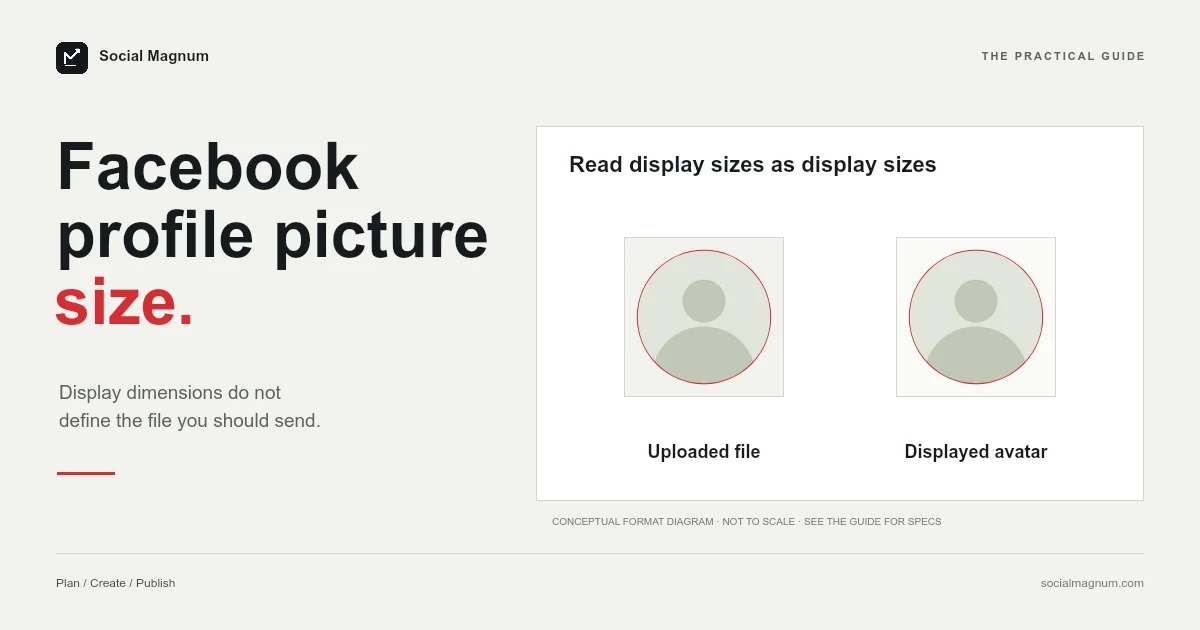
Almost every figure you will read for this question is a display size, how big the picture appears on a screen. Facebook’s own page gives one upload-side figure, 320 × 320 “for best quality”, and even that is barely larger than the display sizes, which is why uploading at any of them produces a soft, slightly smeared avatar.
Page one also cannot agree on what those display sizes are. Three different numbers for desktop, and two guides that get the relationship between desktop and mobile backwards.
What Facebook publishes
Facebook’s own help page on Page profile picture and cover photo dimensions is the top organic result, and it describes where the image displays.
| Context | Displays at |
|---|---|
| Page on computers | 176 × 176 |
| Smartphones | 196 × 196 |
| Most feature phones | 36 × 36 |
| Best quality | 320 × 320, “should be 320 pixels wide and 320 pixels tall” |
Key facts from Facebook’s Page profile picture and cover photo dimensions help page, which our cover-photo guide read in a browser on 21 August 2026 and Google’s crawl quotes: the Page profile picture displays at 176 × 176 pixels on computers, 196 × 196 on smartphones and 36 × 36 on most feature phones, is cropped to a circle, and should be 320 × 320 for best quality. So Facebook does give one figure on the upload side, but it is barely larger than the display sizes; uploading a square at 1080 × 1080 or more gives a dense screen something to work with. Canva’s 180/128 and Adobe’s 170/128 invert Facebook’s desktop-to-mobile relationship.
Note the verb again: displays at. Facebook is describing the slot, not the file.
Three desktop numbers, and an inversion
Line the page-one results up and the disagreement is not subtle.
| Source | Desktop | Mobile |
|---|---|---|
| Facebook's help page | 176 | 196 |
| Canva | 180 | 128 |
| Adobe | 170 | 128 |
| A resizer, calling it official | 180 | Not stated |
Three desktop figures — 170, 176, 180 — is the smaller problem. The larger one is the mobile column.
Facebook’s version is the more plausible one on its face, since phone screens have been denser than laptop screens for years, and a 128-pixel avatar on a modern phone would look conspicuously rough. But the point is not to adjudicate — it is that a reader has no way to tell, and two of the largest design brands on the internet are on the wrong side of it.
One result quotes the cover photo instead
A resizer page currently ranking for this term states that Facebook recommends a minimum of 180 × 180 for a profile picture, and then says your profile pictures will display at 820 × 312 on desktop.
820 × 312 is the Facebook cover photo. It is a real Facebook dimension and it belongs to the wide banner behind the avatar, not the avatar itself. We wrote about the cover separately in our guide to the Facebook cover photo size, where the same image is displayed as two genuinely different rectangles.
This is the second time in this series we have found a resizer offering the wrong image entirely as a preset — the other was a tool listing the Instagram Reel cover as a profile picture. A wrong number in an article is read. A wrong number in a tool is applied.
Three platforms, the same confusion
Something worth naming, because we have now hit it three times in a row and it explains most of the disagreement in this entire subject.
| Platform | The figure it publishes | What it describes |
|---|---|---|
| YouTube | 98 × 98 | Renders at |
| ≈110 × 110 | Displayed at | |
| 176 × 176 / 320 × 320 | Displays at / for best quality |
Neither YouTube nor Instagram publishes an upload dimension for a profile picture; Facebook’s 320 × 320 is the closest any of them comes, and it is a floor for a modern screen rather than a target. All three publish where the image ends up. And in all three cases the internet has converted a display size into an instruction, which is precisely the wrong direction.
We covered the same mechanism in detail for YouTube profile pictures, where the second organic result is somebody asking why their uploaded logo came out blurry.
We found the same gap on Instagram, see Instagram profile picture size.
So what should you actually upload?
Since the only upload-side figure here is Facebook’s 320 × 320 floor, a defensible default rather than a rule.
- Square, and at least 1080 × 1080. Comfortably above every display size in that table, on any screen density in use.
- Larger is fine. One guide suggests 2048 × 2048, which costs nothing and gives the platform plenty to work from.
- Composed for a circle. Facebook displays the square you upload as a round image, so the corners are never seen.
The 1080 × 1080 that one page-one result gives is, on this reading, the most useful number on the page — not because it is what Facebook asks for, but because it is a sensible answer to the question Facebook does not answer.
Square upload, round display
The circular crop is the constraint that decides composition, and it is unforgiving of logos built to fill their bounding box.
Anything in the corners of your square sits outside the circle. A wordmark loses its first and last letters; a design with detail at the edges loses the detail. The fix is padding rather than shrinking — build the mark inside a comfortable margin so the mask takes empty space.
And test it small. At 36 × 36, which Facebook still lists for feature phones, almost nothing survives except a single strong shape or one letter.
The 36-pixel case
The smallest figure Facebook lists is the one worth designing against, and it is the one every guide skips over on its way to the bigger numbers.
36 × 36 for feature phones sounds like an edge case for old hardware, and as a specific context it largely is. But it is a useful proxy for something that is not rare at all: the many places a profile picture appears at a few dozen pixels across.
- Beside every comment you leave, anywhere on the platform.
- In a list of reactions on someone else’s post.
- Stacked with other avatars in a group or an event.
- In a notification, at the smallest size Facebook renders.
You judge your profile picture at the largest size, on your own page, where it looks fine. Almost everyone else encounters it at the smallest, in a context you never look at.
Changing it is more public than you think
One behavioural difference from the other platforms in this series, and it catches people who are simply tidying up a profile.
A new Facebook profile picture is not a silent settings change. By default it becomes a post on your timeline that friends can see, react to and comment on, which is why an innocuous crop adjustment can produce notifications for days.
The visibility of that post can be changed like any other, and it is worth deciding deliberately rather than discovering it afterwards — particularly if you are updating a picture for a reason you would rather not announce.
Pages and personal profiles
Facebook’s page is specifically about Page profile pictures, which is worth noticing because most people searching this are thinking about a personal profile or are not distinguishing between the two.
In practice the composition advice is identical — square file, circular display, upload large — and the display contexts are similar. But if a specific figure matters to you for a personal profile, be aware that the document everyone is quoting is describing a Page.
Preparing the file
A square crop and an export, where the crop is the only real decision. Taking a square out of a rectangular photograph throws one dimension away entirely, and for a profile picture the part you keep is almost always a face positioned to survive a circular mask.
Our free image resizer does it in the browser with no upload and no account, and our guide to social media image sizes marks which figures across every platform are documented and which are only widely agreed.
The short version
- 1
Facebook publishes display sizes — 176 desktop, 196 mobile, 36 feature phone
- 2
Canva and Adobe both say mobile is smaller than desktop; Facebook says larger
- 3
One page-one result gives 820 × 312, which is the cover photo, not the avatar
- 4
YouTube and Instagram publish a render size and no upload size; Facebook adds a 320 × 320 floor
- 5
Upload square at 1080 × 1080 or larger and let the platform scale down