The Best Time to Post on YouTube Matters Least of All
Buffer's single dataset gives Sunday 10am for long-form and Friday afternoon for Shorts. And on a platform where videos earn views for years, the upload hour is a rounding error.
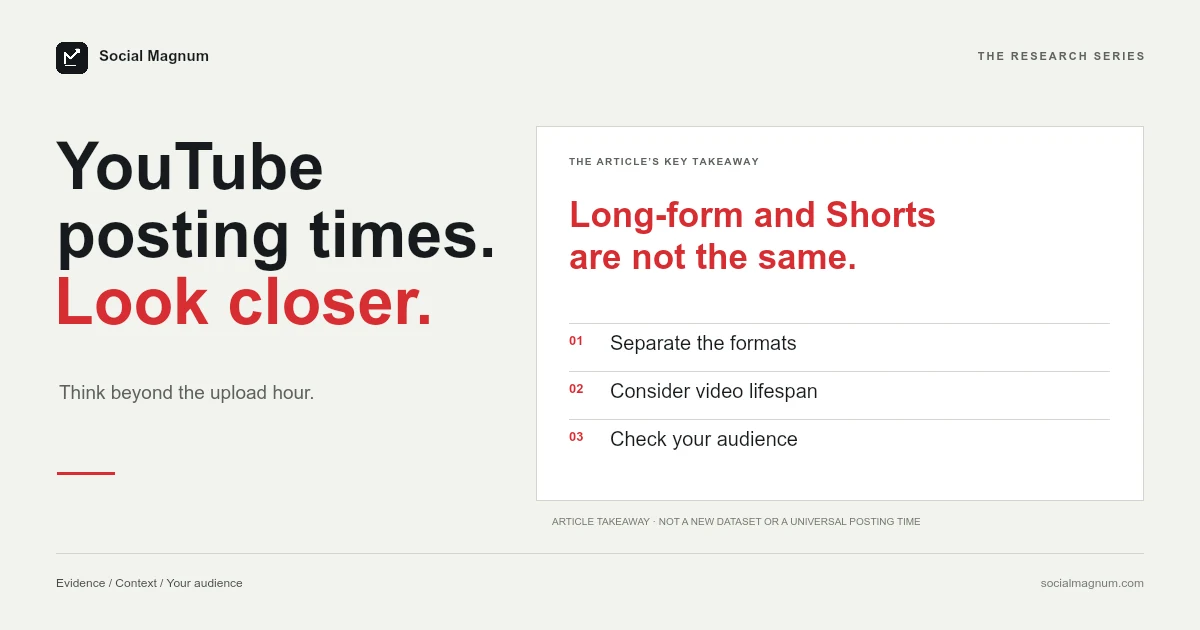
Buffer analysed 1.8 million YouTube videos and concluded that the best time to publish long-form video is Sunday at 10am — and that the best time to publish a Short is Friday afternoon.
That is one company, one dataset, one platform, producing two answers four days apart. It is the clearest illustration in this whole subject that the question is underspecified, and on YouTube it matters less than anywhere else anyway. There is no universal upload time; what decides it for a channel is when its own viewers are on YouTube, which Studio shows under Analytics and then Audience, and because a video earns most of its views long after upload, that hour is a small lever.
What page one actually says
| Source | Its answer |
|---|---|
| Buffer — long-form (1.8M videos) | Sunday 10am |
| Buffer — Shorts (same dataset) | Friday, 4pm and 6pm |
| QuickFrame | 3–5pm; aim for 4pm |
| Conbersa | Mon/Tue 2–4pm, Wed 12–3pm, Fri 3–5pm |
| American Design Hub | 9am–2pm weekdays, especially Tue–Thu |
That removes the usual excuse and leaves the real point exposed. “Best time to post” is not one question. It is a different question for every format, every audience and every definition of best, and a single number can only ever answer one combination of the three. We set the general mechanism out once, in why best-time-to-post charts disagree.
YouTube is the least timing-sensitive platform there is
This is the structural reason to care less here, and it is easy to verify from your own channel.
A YouTube video does not expire. It keeps being surfaced through search and recommendations for months, often years, and for most channels the majority of a video’s lifetime views arrive long after the day it was published. A post on a feed platform has a window measured in hours. A YouTube video has one measured in seasons.
You can check this on your own channel in a minute. Open any video published six months ago and look at its view curve. If it is still accumulating, the upload hour stopped mattering a long time ago.
So what does the first day do?
Not nothing, and it is worth being precise rather than dismissive.
The first day is when your subscribers see the video in their subscriptions feed and their notifications, so publishing when they are around genuinely affects that early window. Early watch behaviour is also the first information YouTube has about whether people finish the video.
What the first day does not do is determine the outcome. Videos that start slowly and build over months are ordinary on YouTube in a way they are not on TikTok or Instagram, which is why judging a video after twenty-four hours tells you very little.
Where does YouTube show when my viewers are online?
Like Meta, YouTube provides this natively rather than leaving you to a chart.
- Open YouTube Studio.
- Go to Analytics, then the Audience tab.
- Find when your viewers are on YouTube, shown by day and hour.
It is free, it needs no third-party tool, and it describes your channel rather than Buffer’s customers. As on every other platform in this cluster, it measures people who already watch you — which on YouTube is a smaller share of your eventual audience than almost anywhere else, for exactly the long-tail reason above.
Every major platform ships this, and almost none of the guides written about posting times mention it.
| Platform | Where the native answer lives |
|---|---|
| YouTube | Studio → Analytics → Audience |
| Meta Business Suite → composer → Active times | |
| Insights → followers → most active times | |
| TikTok | Analytics → Followers → follower activity |
| Page analytics → Followers (by location and function) | |
| Pinterest Analytics (business account) |
Six platforms, six built-in answers derived from your own audience, and an entire genre of articles recommending averages instead. The data was never the hard part.
One YouTube-specific complication
If you do schedule to a specific hour, there is a quirk worth knowing that has nothing to do with engagement and everything to do with what viewers see.
YouTube renders publish dates on the watch page in Pacific Time. Schedule from a time zone ahead of that — most of the world — and the public date can be a different calendar day from the one in your Studio. We went through it in detail in how to schedule YouTube videos.
It matters when the date is part of the content — anything tied to a launch or a dated title — and it is invisible until someone points it out.
Is there a best time to post YouTube Shorts?
Buffer’s split is not an anomaly, and it is worth understanding rather than averaging away.
Shorts sit on a recommendation surface that behaves much more like TikTok: rapid distribution to people who do not subscribe, a shorter and more front-loaded life. Long-form video behaves like search: slower, longer, more dependent on the title and thumbnail doing their job months later.
So the honest answer to “when should I upload” is that it depends which of the two products you are using. Applying a long-form recommendation to Shorts, or the reverse, is applying an answer from a different platform.
If your Shorts audience is mostly in one country, Studio’s Audience tab shows top geographies; use that zone, not your own, when reading the activity view.
If the moment genuinely matters, use a Premiere
There is one case where a specific time is the whole point, and scheduling is the wrong tool for it.
A scheduled upload appears at its publish time as an ordinary video. A Premiere creates a watch page in advance that people can find and set reminders on, then plays the video to everyone simultaneously with a live chat running alongside it.
That distinction matters because the reason people care about timing is usually the desire for an event — everyone watching together, comments moving, a sense of occasion. Scheduling does not produce that at any hour. A Premiere does, and it is the right answer when the moment is the point rather than the convenience.
Subscribers and the notification question
The strongest argument for caring about upload time is subscribers, and it is worth examining rather than assuming.
Only a fraction of your subscribers have notifications enabled, and only a fraction of those act on them promptly. For most channels the subscriptions feed is a slower, more forgiving surface than a social feed — someone who opens YouTube that evening still sees a video published that morning near the top.
So the case for precision is weaker than it first appears. Publishing on a day your subscribers are generally active is worth doing. Publishing at a specific hour on that day buys much less than the effort it takes to determine.
Consistency does the work timing is credited with
The variable that behaves most like the thing people hope timing is, on YouTube, is regularity.
A channel that publishes on the same day each week trains its subscribers to expect it, and that expectation is worth more than any single well-chosen hour. It also compounds in a way an hour cannot: the habit builds over months, while the hour resets with every upload.
This is also the advice that costs something, which is why it is less popular than a chart. Choosing 4pm is free. Publishing every Tuesday for a year is not.
What actually decides a YouTube video
Worth stating plainly on a page about a lever that mostly is not the answer.
The title and thumbnail decide whether anyone clicks, and they keep deciding that for as long as the video exists — which on YouTube is the single highest-leverage thing you control. Retention decides what happens after the click. Both outrank the upload hour by a wide margin, and unlike the hour, both can be improved after publishing.
That last point is genuinely useful and specific to this platform: a thumbnail can be changed on a video that is three years old, and it will affect every impression from that moment on. No amount of scheduling precision offers anything comparable.
It is worth sitting with the asymmetry there. The upload hour is decided once, applies to a single day, and cannot be revisited. The thumbnail is decided once, applies for the entire life of the video, and can be revisited whenever you like. One of those is obviously worth more attention than the other, and it is not the one with five guides written about it.
A practical use of that: pick your worst-performing video from a year ago, one you still think deserved better, and replace its thumbnail. Then watch what happens over the following month. It is the closest thing to a free experiment YouTube offers, and it will teach you more about what moves views than any amount of reading about upload times — including this page.
The short version
- 1
Buffer's own dataset gives Sunday 10am for long-form and Friday afternoon for Shorts
- 2
YouTube videos accumulate views for months or years, so the upload hour is a rounding error
- 3
YouTube Studio shows when your viewers are on YouTube, free, under Analytics then Audience
- 4
Title, thumbnail and retention outrank timing — and can all be improved after publishing