How to Schedule YouTube Videos: No Ceiling, but a Date Trap
YouTube is the only major platform that publishes no limit on how far ahead you can queue. It also renders public dates in Pacific Time, so viewers can see a different day than you set.
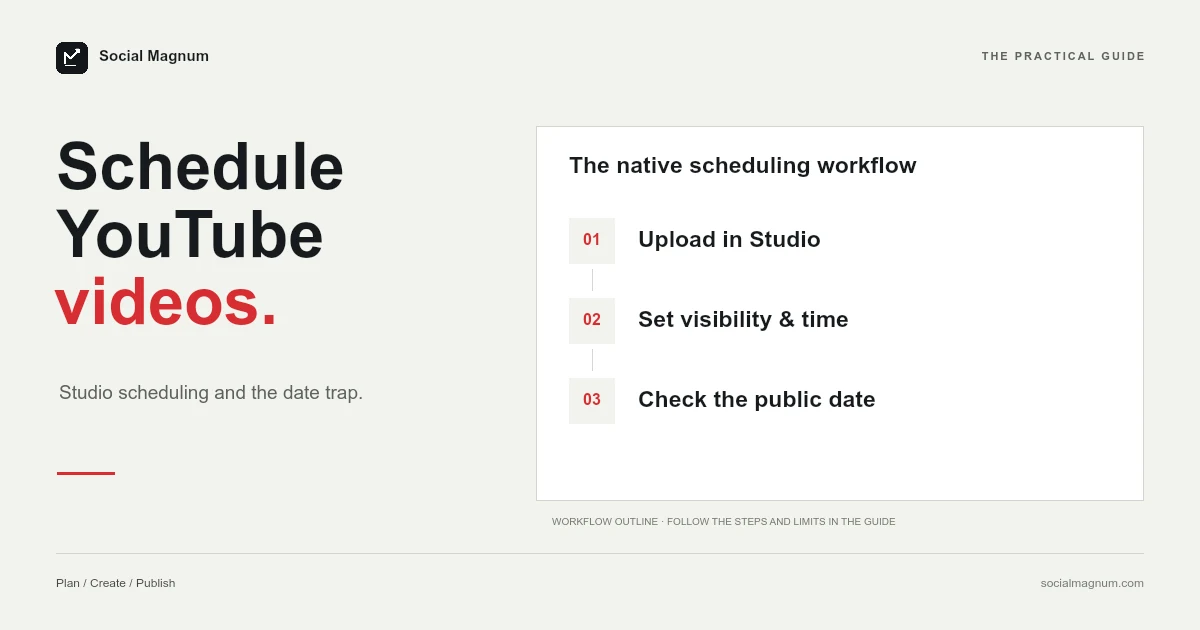
YouTube schedules videos from YouTube Studio, free, and, X aside, it is the only one of the major platforms whose help page states no limit on how far ahead you can go.
It also has a quirk none of the others do: the date your viewers see on the watch page is rendered in Pacific Time. Schedule from anywhere east of California and the publish date shown publicly can be a different calendar day from the one in your own Studio.
Scheduling a video
- Sign in to YouTube Studio.
- Select CREATE, then Upload videos.
- Upload the file and fill in your title, description and thumbnail.
- Click the Schedule card.
- Set the date, the time and — this field matters more than it looks — the time zone.
- Select Schedule.
The video has to be set as scheduled or private on the upload page for the option to apply. Until the moment it publishes, a scheduled video is private: not unlisted, not hidden-but-reachable, private.
YouTube publishes no maximum
Every other platform in this cluster except X tells you exactly how far ahead you may queue something. YouTube’s help page simply does not mention a ceiling.
| Platform | Stated scheduling window |
|---|---|
| YouTube | No maximum stated |
| Up to 30 days | |
| Facebook Pages | 20 minutes to 29 days |
| TikTok | 15 minutes to 10 days |
| 10 minutes to 3 months | |
| X | No window stated; free from the compose box |
Worth stating the caveat precisely, because it is the kind of thing that turns into a myth: YouTube does not publish a limit. That is not the same as proving there is no limit. What it does mean in practice is that a quarter of content can be uploaded and queued in one sitting, which is not true anywhere else on that list.
The Pacific Time date trap
Read that twice, because the consequence is larger than the wording suggests. Your Studio shows one publish date. The public watch page can show another. They are the same moment in time, rendered in two different zones.
Anyone scheduling from Europe, Africa, Asia or Australia is ahead of Pacific Time, so this applies to most of the world. Schedule something for 9am on the 1st in London and the watch page — eight hours behind — is still showing the 31st.
It matters whenever the date is part of the content. A video titled for a specific day, an announcement tied to a launch, anything where a viewer might compare the stamped date against what you said: all of those can be off by one, publicly, with nothing in Studio indicating a problem.
The fix is to check the watch page after publishing rather than trusting Studio, and to shift a scheduled time later in the day when the date genuinely matters.
A strike stops scheduled videos publishing
This one is worth knowing before you build a buffer of queued content, because it fails silently.
If your channel receives a Community Guidelines strike, YouTube states that your scheduled video will not publish during the penalty period, and that the video is set to private for the duration.
The practical shape of that: a strike does not only cost you the penalty period. It costs you everything you had queued inside it, and those videos do not publish late — they sit private until you go and deal with them yourself. A channel that has scheduled a month ahead and takes a strike in week one has a month of content that quietly did not happen.
Scheduled videos can be changed
Unlike TikTok, where a scheduled post is frozen, YouTube lets you revise a queued video.
To change the publish time, make sure visibility is set to Private, click EDIT DRAFT, and choose a new one. To publish immediately instead of waiting, set visibility to Public and it goes live.
That flexibility is the other half of why YouTube suits scheduling further ahead. A queue you can revise is a plan; a queue you cannot revise, as TikTok demonstrates, is a series of commitments.
Does scheduling hurt a video?
This is the question people actually have. The second-ranking result for this search is not a guide at all — it is a forum thread asking whether it is better to schedule videos or publish them by hand.
Mechanically there is nothing to worry about. A scheduled video publishes exactly as a manual upload does at that same moment; the difference is who pressed the button. There is no separate scheduled-video pathway for YouTube to treat differently, because at the point of publishing it is simply a video going public.
What is genuinely different is what happens around it. Publishing manually means you are present — replying to the first comments, sharing it elsewhere, watching the first hour. Scheduling means the video can go out while you are asleep or busy, and the early window passes unattended.
So the honest answer is that scheduling does not cost you anything at the moment of publishing, and can cost you something in the hour afterwards. The fix is not to avoid scheduling — it is to schedule for a time you can actually show up for. Which time that is matters less on YouTube than anywhere else, for reasons we set out in the best time to post on YouTube.
The time zone field is not decoration
The Schedule card asks for three things: a date, a time and a time zone. The third is easy to accept as pre-filled and is the one most worth checking.
It defaults to something, and what it defaults to is not necessarily where your audience is or even where you are — particularly if you are working on a machine that has travelled or a browser profile set up somewhere else. Setting it explicitly costs a moment and removes the whole class of problem.
This is also the field that interacts with the Pacific Time behaviour above. Whatever zone you choose determines the moment; the watch page then renders that moment in PST regardless. The two are independent, and getting the first right does not protect you from the second.
How do you schedule YouTube Shorts?
There is no separate scheduler for Shorts. A vertical video uploaded through YouTube Studio goes through the same flow and the same Schedule card as anything else.
What makes it a Short is the file rather than the process — vertical, and short enough to qualify. Which means everything above applies unchanged: same privacy behaviour, same Pacific Time date on the watch page, same exposure to a strike.
The one practical difference is volume. Shorts are usually posted far more often than long-form videos, so the absence of a scheduling ceiling matters more here than anywhere else: a month of daily Shorts is thirty items, which is more than TikTok or Instagram would let you queue in a single sitting at all.
If you are producing the same vertical clip for several platforms, it is worth noting that the tightest constraint governs the batch. Thirty Shorts can go into YouTube today; the same thirty clips cannot go into TikTok until the ten-day window catches up with them.
Premieres are a different mechanism
A Premiere is not the same as a scheduled upload, and the two get conflated constantly.
A scheduled video appears at its publish time as an ordinary video. A Premiere creates a watch page in advance that people can find, wait on and chat in, and then plays the video to everyone simultaneously like a broadcast.
They serve different purposes: scheduling is for consistency, Premieres are for an event. YouTube’s scheduling documentation does not cover Premieres, so if that is what you want, it is a separate setup, and the checkbox that turns a scheduled upload into a Premiere changes how it publishes, so do not tick it by accident.
Where native scheduling stops
YouTube’s scheduler is the most generous of the six, and the gaps that remain are the familiar ones.
- One channel at a time. Studio is per-channel, and switching is manual.
- No approval step. Nothing sits in review before it publishes.
- YouTube only. If the same video is also going to TikTok, Instagram, Facebook, Threads, Pinterest, Bluesky or Mastodon, that is seven more uploads by hand.
For a single channel planning ahead, YouTube Studio genuinely is enough — no ceiling, editable queue, free. The reason to reach for anything else is the row above it in your calendar, not the one you are looking at. When it is that row, the plans cover every network on that list from one queue.
The short version
- 1
YouTube Studio schedules free, and states no maximum — unlike TikTok, Facebook or Instagram
- 2
Watch pages render dates in Pacific Time, so the public date can differ from Studio's
- 3
A Community Guidelines strike stops queued videos publishing and leaves them private
- 4
Scheduled videos stay private until publish, and can be edited or published early