Scheduling TikTok: direct post vs reminders
Half the tools that 'schedule TikTok' never post anything — they notify you to do it. The two API modes explained, and the audit gate that quietly publishes posts as private-only.
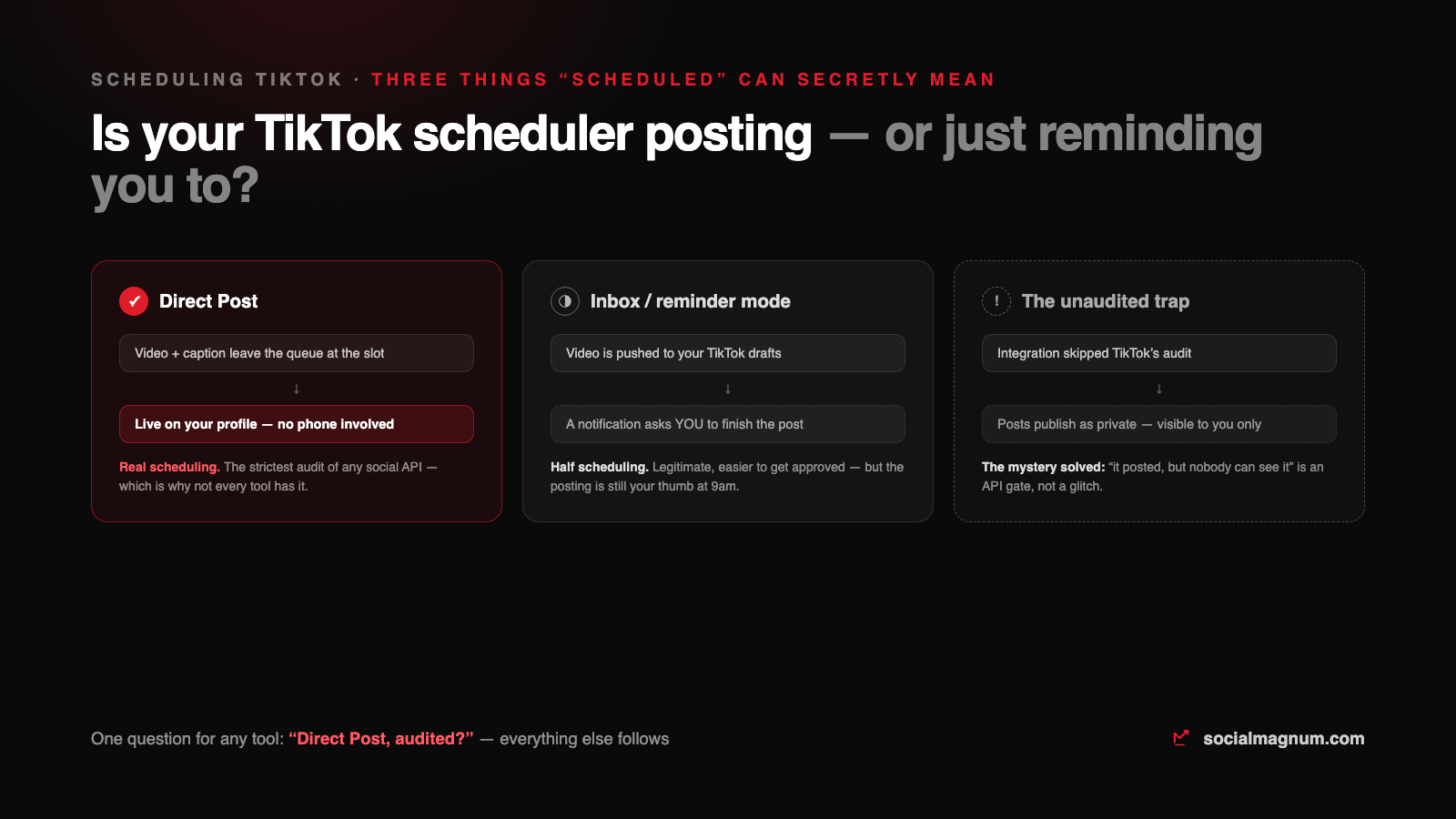
TikTok scheduling has a dirty secret: a lot of tools that “schedule TikTok” never actually post anything. At the scheduled time, a notification lands on your phone asking youto finish the job in the TikTok app. If you have ever wondered whether that was your tool being broken or TikTok being TikTok — it is neither. It is a documented API design, and knowing it explains almost everything confusing about scheduling here.
We publish to TikTok in production through the official Content Posting API, so this is the working map: the two publishing modes, the audit gate that quietly makes posts invisible, and the questions that sort real schedulers from reminder apps.
The two modes: posting versus reminding
TikTok’s Content Posting API offers integrations two different contracts, and your tool uses one of them:
| Direct Post | Upload to inbox (“reminders”) | |
|---|---|---|
| What happens at the slot | The video publishes to your profile | The video lands in your TikTok drafts |
| What you do | Nothing | Open the app, review, press post yourself |
| Posts while you sleep? | Yes | No — the notification waits for your thumb |
| TikTok's approval bar | The strictest audit of any major social API | Lower — which is why many tools ship only this |
| Honest name | Scheduling | A well-dressed reminder |
Inbox mode exists for good reasons — TikTok wants creators reviewing what ships under their name — and for solo creators who are on the app anyway, a reminder can be enough. But if the point of scheduling is posts that fire during meetings, weekends and other timezones, the only mode that delivers is Direct Post.
The audit trap: posted, but invisible
The diagnostic is one minute: post something through the tool, then check the video’s privacy setting in the TikTok app. If it says “only me” and you never chose that, you have found the gate.
What Direct Post actually supports
- Video with a caption up to 2,200 characters — same budget as Instagram, and the video is the post; the caption is seasoning.
- Per-creator limits, queried live. The API exposes each account’s allowed privacy levels and maximum video duration, and a good tool checks them before publishing rather than failing after.
- Privacy and disclosure settings at publish time — including the branded-content and promotional disclosure toggles. If a post is an ad, the toggle exists so the label is on it from second one.
What about TikTok’s own scheduler?
TikTok’s web studio can schedule uploads natively, and for a single account posting occasionally it is genuinely fine. Its limits are the usual native ones: one network, a bounded scheduling window, and no shared queue — the moment TikTok is one of several networks on a calendar, you are back to the compose-once workflow with TikTok as one of its destinations.
The mistakes that cost reach here
- Reposting watermarked videos. TikTok deprioritises content visibly recycled from rivals, the same way Instagram treats watermarked Reels. Export clean, upload the original file.
- Blaming the queue for inbox mode. If posts “fail” unless you touch your phone, your tool is a reminder app — that is its contract, not a bug to support-ticket.
- Skipping the disclosure toggles on branded content. The API supports them precisely so paid posts are labelled from the start; retrofitting a disclosure after reach is how accounts get flagged.
- Treating TikTok captions like Instagram captions.The budget is the same 2,200; the culture is not. Short setup, real hook in the video, hashtags that describe rather than carpet.
The short version
- 1
TikTok's API has two contracts: Direct Post (the video publishes itself) and inbox mode (a notification asks you to finish). Only one is scheduling.
- 2
Unaudited integrations publish private-only — the 'posted but invisible' mystery is an API gate, not shadowbanning. Check the video's privacy setting to diagnose it in a minute.
- 3
Direct Post is the strictest audit among major social APIs, which is exactly why many tools quietly ship reminders instead.
- 4
Good tools query each creator's live limits — allowed privacy levels, max duration — before publishing, and set disclosure toggles at publish time.
- 5
One question sorts every TikTok scheduler: 'Direct Post, audited?' Everything else follows from the answer.