How to post to all social networks at once
Eight networks, eight tabs, eight caption boxes — or one writing session. The real per-network constraint table, the write-300-first trick, and why the link needs four different strategies.
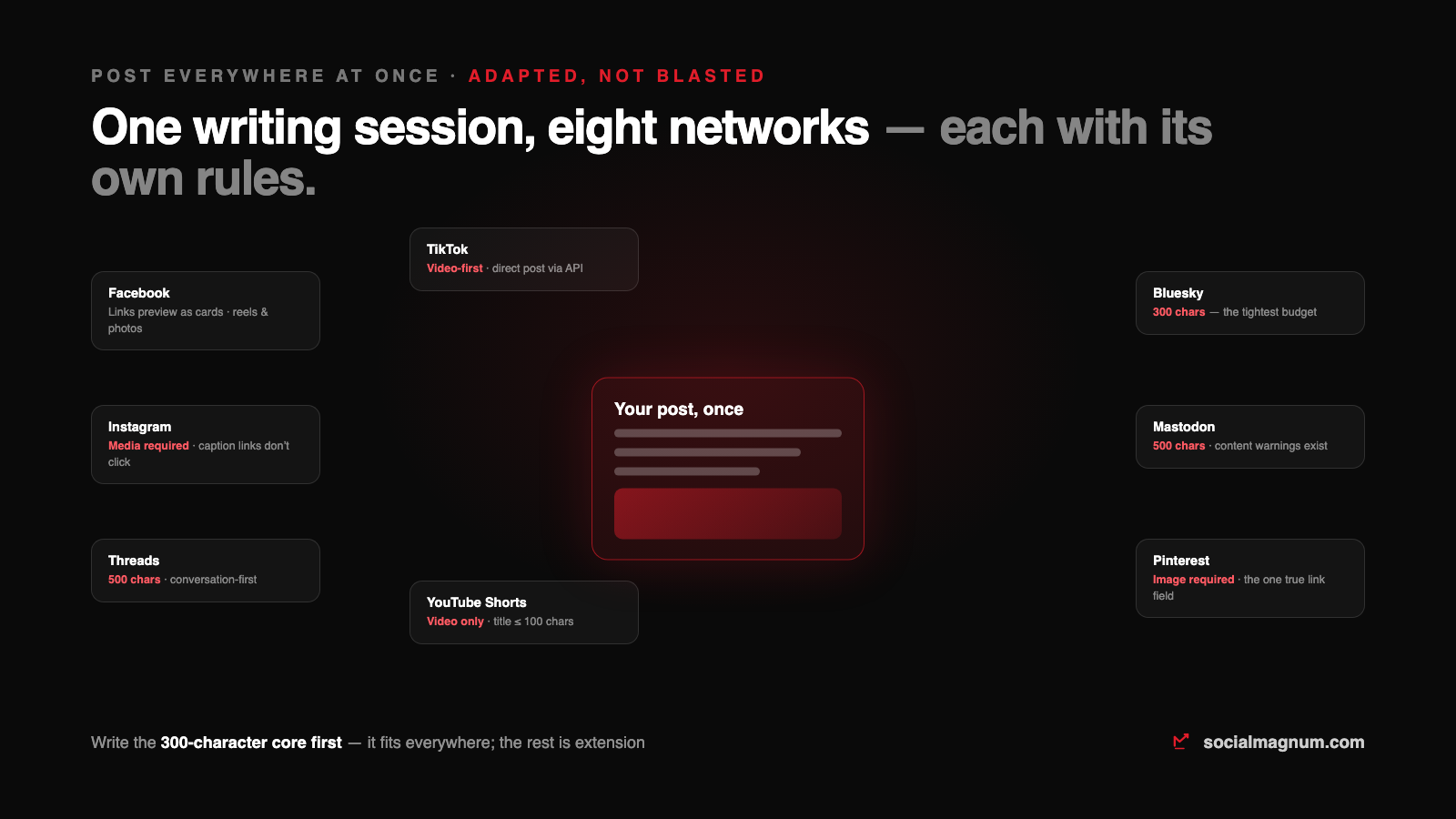
Posting one announcement to eight networks by hand is a forty-minute job: eight tabs, eight logins, eight caption boxes, eight uploads — and eight chances to paste the wrong link. So people either stop posting everywhere, or they blast the identical caption into every box and wonder why half the platforms shrug at it.
Both problems have the same fix, and it is not typing faster. Posting to all social media at once means writing once, letting software publish everywhere through the official APIs — and adapting the post to each network’s rules on the way. The adaptation is the part that separates a strategy from a spam pattern, so that is where this guide spends its time.
Every network has different rules — the actual table
Cross-posting guides love saying “customise per platform” and hate saying what the constraints actually are. Here is the sheet for the eight networks we publish to:
| Network | Text budget | Media | The rule that changes your post |
|---|---|---|---|
| Effectively unlimited | Optional | Links unfurl into preview cards — the URL can carry the post | |
| 2,200 caption | Required | No text-only posts, and caption links don't click | |
| Threads | 500 | Optional | Conversation-first — questions outperform announcements |
| Bluesky | 300 | Optional | The tightest budget on the list — write for it first |
| Mastodon | 500 (default) | Optional | Community norms matter; content warnings are a real feature |
| 100 title + 500 description | Image required | The one network with a true clickable link field | |
| TikTok | 2,200 caption | Video-first | The video is the post; the caption is seasoning |
| YouTube Shorts | 100 title | Video only | No video, no post — there is nothing to adapt |
The link problem nobody warns you about
The same announcement carries a link differently on every surface: Facebook unfurls it into a card, Instagram captions render it as dead text, Pinterest gives it a dedicated field, and the microblogs spend precious characters on it. So “put the link in the post” is not one decision — it is four. The practical rule: let the link be the post where links are first-class (Facebook, Pinterest), move it to the bio or a comment where they are not (Instagram), and shorten it where characters are budget (Bluesky).
Media: the requirement that splits the list
Two networks in the table will not accept a text-only post at all — Instagram needs an image or video, Pinterest needs an image, and YouTube and TikTok need video. That is not a tool limitation; the APIs refuse the post. A good scheduler makes this visible at compose time instead of failing at publish time, and it never silently drops your attachment on a network that could have carried it.
The one-queue workflow
- 1. Compose once, attach once. One editor, all eight account toggles on, media attached a single time.
- 2. Adapt in the same screen. Trim the caption for the microblogs, move the link where it works, check the per-network preview — two minutes, not forty.
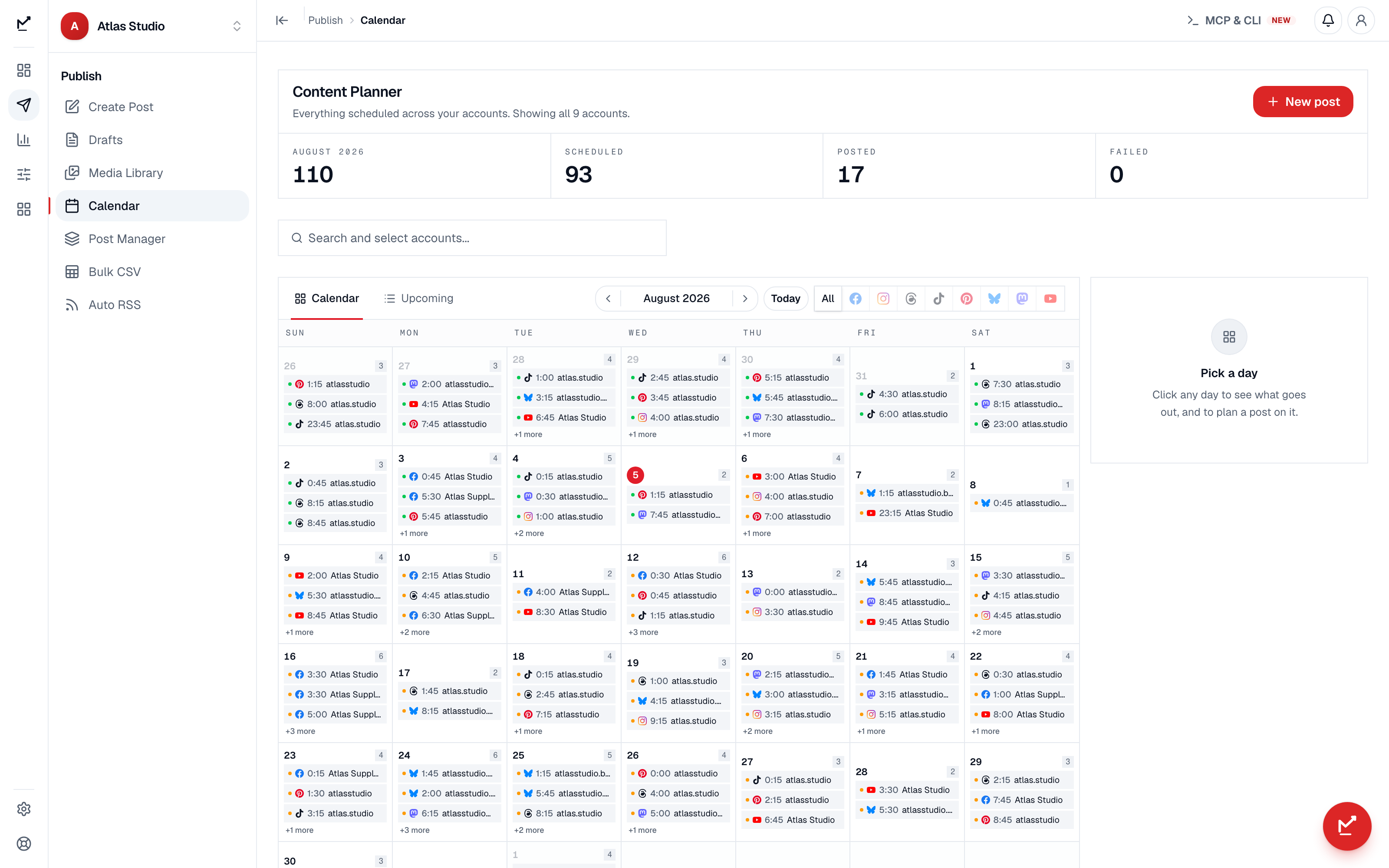
- 3. Schedule it and let the queue publish. The scheduler hits each network’s API at the slot; you find out from the calendar, not from eight tabs.
Does posting the same thing everywhere hurt reach?
Cross-posting between networks is not penalised — Facebook does not know what you posted on Mastodon. What costs you is platform-shaped: identical repetitive content within one network, watermarked video recycled between rivals, and captions that ignore the local culture (hashtags matter on Instagram and TikTok, read as noise on Threads and Bluesky). Adapting the core message per network is not extra credit — it is the whole difference between being present on eight networks and being spam on eight networks.
Where cross-posting goes wrong
- Writing long first. The 2,200-character Instagram caption does not compress into Bluesky’s 300 — start from the core, extend outward.
- One link strategy for eight surfaces. The dead caption link on Instagram is the most-shipped mistake in social media.
- Ignoring the media-required networks — a text-only announcement quietly skips Instagram and Pinterest unless your tool warns you at compose time.
- Blasting identical captions with the wrong furniture— a wall of hashtags on Mastodon, a bio-link reference on Facebook. Local culture reads instantly.
- Publishing everywhere at one identical moment forever. Same-moment posting is fine for announcements; for evergreen content, per-network scheduling at each audience’s peak beats the simultaneous blast.
One more thing worth automating once the queue exists: the posting rules above pair with each network’s platform rules — what you can automate on Facebook Pages and Instagram without tripping their spam machinery.
The short version
- 1
Posting everywhere at once is a writing problem before a tooling problem: write the 300-character core first — it fits every network — then extend where it earns something.
- 2
The constraints are real and enforced by the APIs: media required on Instagram and Pinterest, video only on TikTok and YouTube, 300/500-character budgets on the microblogs.
- 3
Links need four strategies, not one: cards on Facebook, a dedicated field on Pinterest, bio-or-comment on Instagram, shortened on the character-budget networks.
- 4
Cross-posting between networks is not penalised; identical spammy repetition within one network is. Adapt the furniture — hashtags, links, tone — per platform.
- 5
One queue with per-network previews turns a forty-minute tab marathon into a two-minute adaptation pass.