How to Schedule TikTok Posts: Ten Days, and No Undo
TikTok schedules free on the web with a Business Account. The catch is that a scheduled post cannot be edited at all — not the video, not the caption, not the time.
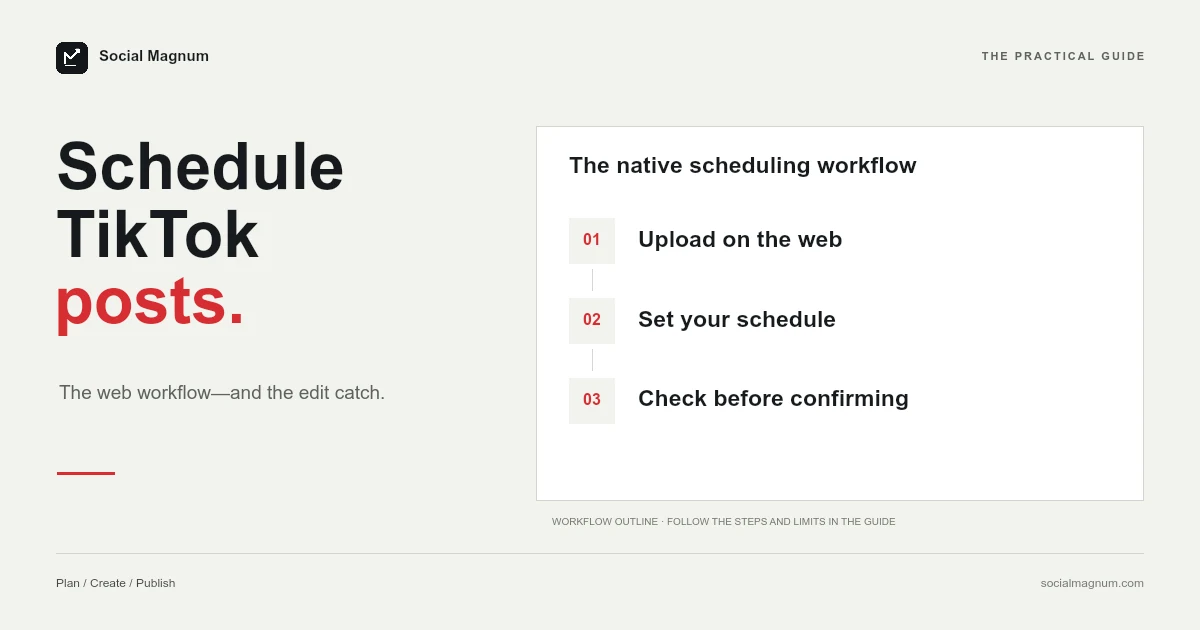
TikTok schedules posts for free from a web browser, between 15 minutes and 10 days ahead, provided the account is a Business Account.
The part worth knowing before you use it is what happens afterwards: a scheduled TikTok cannot be edited. Not the video, not the caption, not the time. If anything needs to change, you delete it and start again.
Scheduling a TikTok
- Log in to tiktok.com in a web browser.
- Click the Cloud icon in the top right of your feed.
- Upload your video and set it up as normal — caption, hashtags, cover image, who can view, comment and duet settings.
- Toggle the schedule button and pick a date and time.
- Click Schedule.
Scheduled posts then appear alongside your drafts in Profile view, and TikTok sends a push notification when the video actually goes live.
That notification is worth leaving switched on. A scheduled post is the one you are least likely to be watching for, and the first hour matters more on TikTok than on most platforms — replying to early comments is part of how a video builds momentum rather than stalling. Queueing something and then discovering it published four hours ago wastes the window you scheduled it for. Which window that should be is less settled than the guides suggest; see the best time to post on TikTok.
15 minutes to 10 days
Ten days is by a distance the shortest window of the major platforms — a third of what Instagram allows and roughly a third of Facebook’s. Any content calendar that runs even a fortnight ahead cannot be loaded into TikTok natively, which is a real constraint for anyone planning around a launch date.
The 15-minute floor is the same idea as Facebook’s 20-minute one: scheduling is for planning, not for a slightly delayed post.
Ten days also sits awkwardly against how people actually plan. A working week is five days and a fortnight is fourteen, so the window lands between the two units anyone organises around. In practice it means a Monday planning session can cover the next week and a half and no further, which is why TikTok is usually the platform that falls out of a shared calendar first.
You cannot edit a scheduled post
This is the difference that actually changes how you work, and it is stated plainly in TikTok’s own documentation.
A typo in a caption means deleting the scheduled post, fixing the file, and uploading the whole thing again. So does moving a post by an hour. There is no reschedule, no duplicate, no move-to-drafts — the queue is effectively read-only once you have committed to it.
The practical consequence is that proofreading has to happen before you schedule rather than after. On Facebook or Instagram a queued post is a draft you can still fix; on TikTok it is a decision.
How the three compare
| Window | Can you edit after scheduling? | |
|---|---|---|
| TikTok | 15 minutes to 10 days | No — delete and re-upload |
| Facebook Pages | 20 minutes to 29 days | Yes — edit, duplicate, reschedule, drafts |
| Up to 30 days, 25 a day | Yes — edit, reschedule, share now |
Running all three from one calendar means working to the tightest constraint in each column: ten days ahead, and everything final before it is queued. We covered the other two in scheduling Facebook posts and scheduling Instagram posts.
The pre-flight checklist
Because nothing can be changed after scheduling, the useful habit is a short check before you press the button rather than a review afterwards. Everything on this list is unfixable once queued.
- Read the caption aloud. Typos are the most common reason people delete and re-upload, and they are the easiest to catch.
- Check the cover image. It is set during upload, and it is what appears on your profile grid.
- Confirm the date, the time and the time zone. Especially the time zone, which follows your computer rather than your audience.
- Check privacy, comment and duet settings. These are chosen at upload and travel with the scheduled post.
- Watch the video through once more. An export that ended a frame early is not something you will be fixing later.
It reads like fussiness until the first time you delete a post that was already scheduled for a launch morning.
Drafts are a different thing
TikTok has drafts as well as scheduled posts, and they solve opposite halves of the problem.
A draft is unfinished and endlessly editable, but it will not publish itself — you have to be there. A scheduled post publishes on its own but is frozen the moment you commit it. There is no state that is both.
In Profile view the two sit alongside each other, which makes them easy to confuse. If you want the ability to keep editing right up to the moment of posting, a draft is the honest answer, and the cost is that you have to press publish yourself.
It is not only video
Worth saying because it is widely assumed otherwise: TikTok takes photo posts as well as video, and they go through the same upload and scheduling flow.
The same rules apply — the same 10-day window, the same Business Account requirement, the same inability to edit once scheduled. A photo post is not a lighter-weight object with looser constraints; it is the same commitment.
Why won’t TikTok let me schedule posts?
TikTok states it directly: a Business Account is required to access desktop scheduling. If yours is a personal account, the toggle will not appear.
Switching is free, in Settings under Account, and reversible. The trade is that Business Accounts have a more restricted music library — commercial-use sounds only — which for some creators is a genuine reason not to switch, and one worth weighing before you change an account that depends on trending audio.
That trade is sharper on TikTok than the equivalent decision on any other platform, because sound is not decoration here. A trending audio track is a distribution mechanism: it is how a video gets surfaced to people who do not follow you. Giving up the general library to gain a scheduling toggle is a real cost, not a formality.
The honest way to decide is by asking what your videos actually depend on. If your reach comes from trending sounds, keep the personal account and post manually — scheduling is not worth what it costs you. If your videos carry their own audio, a voiceover, original music or no music at all, the restricted library takes nothing away and the Business Account is free upside.
It is also worth knowing this is not a decision you are locked into. You can switch back, so trying it for a month is a reasonable way to find out whether the sound library was doing as much work as you assumed.
It is a web feature
TikTok’s announcement places the scheduler on the web upload page, reached through the Cloud icon. Once a post is scheduled it is visible in both the web and app versions, but the scheduling itself happens in a browser.
Worth flagging a discrepancy rather than pretending it away: at least one widely read guide describes scheduling through a TikTok Studio app on mobile. We verified the web route against TikTok’s own documentation and did not verify an app route, so treat mobile scheduling as possible-but-unconfirmed and use the browser if you want the path TikTok actually documents.
The time zone follows your computer
TikTok says the time zone defaults to your computer setting — the same pattern as Facebook, and the same trap.
A schedule built on a laptop in one country and reviewed on the same laptop in another does not stay put relative to your audience. Since you also cannot edit a scheduled time on TikTok, getting this wrong is more expensive here than anywhere else: the fix is deleting and re-uploading every affected post.
Where native TikTok scheduling stops
- Ten days. Shorter than anything else, and the binding constraint on any real content calendar.
- No edits. Every change is a delete and a re-upload.
- One account at a time. Scheduling is per-login, in a browser.
- No approvals. Nothing sits in a review state before it publishes.
For a single creator posting within a fortnight, the built-in scheduler is free and adequate. It is the ten-day ceiling and the no-edit rule that push people towards something else, rather than any shortage of features. That is the gap a tool fills; pricing is public, and the scheduler is also exposed to AI agents via MCP.
The short version
- 1
TikTok schedules free on the web, 15 minutes to 10 days ahead
- 2
A scheduled post cannot be edited — delete and re-upload to change anything
- 3
Desktop scheduling requires a Business Account
- 4
Times follow your computer's time zone, and cannot be corrected after scheduling