How to auto-post to Instagram — the official way
Instagram automation earned its bad reputation from bots — but scheduled publishing is officially supported, documented and capped. The account type you need, the container pipeline behind every tool, and the errors it explains.
Instagram automation has the worst reputation of any network’s, and it earned it honestly: a decade of follow-unfollow bots, engagement pods and DM blasters trained everyone to hear “automate Instagram” as “get action-blocked”. Which is a shame, because the boring kind of automation — writing posts when you have time and publishing them when your audience is awake — is officially supported, documented, and used by every legitimate tool including ours.
This is how auto-posting to Instagram actually works: what Meta sanctions, what gets accounts restricted, the account type you need, and the publishing pipeline almost nobody explains — which happens to explain most of the errors people blame on their tools.
What auto-posting to Instagram means (and doesn’t)
Auto-posting to Instagram is software publishing your feed posts, carousels and Reels at scheduled times through Meta’s official API, using permissions you granted over OAuth. It is a different universe from engagement automation — bots that follow, like and message strangers from your account — which violates Instagram’s terms and is what the action-block machinery exists to catch.
| Activity | Allowed? | Why |
|---|---|---|
| Scheduling and API publishing (posts, carousels, Reels) | Yes | Meta's content-publishing API exists precisely for this. |
| Replying to comments on your own posts | Yes | Standard messaging/comment permissions. |
| Reading your own insights on a schedule | Yes | Standard insights permissions. |
| Auto-follow / auto-like / follow-unfollow churn | No | Inauthentic-behaviour policy; the classic action-block trigger. |
| Auto-DMing people who never messaged you | No | Spam policy. |
| Engagement pods and bought followers | No | Fake engagement; also poisons your own analytics. |
| Tools that log in with your password | No | Browser automation against the terms — and a credential handed to a stranger. |
The requirement everyone hits first: account type
The publishing API only works for Business and Creator accounts. Personal accounts cannot API-publish, full stop — no tool can route around it. Switching is free, takes about a minute in the app, and is the actual fix behind a lot of “the tool won’t connect my Instagram” support threads.
The container pipeline: why tools work the way they do
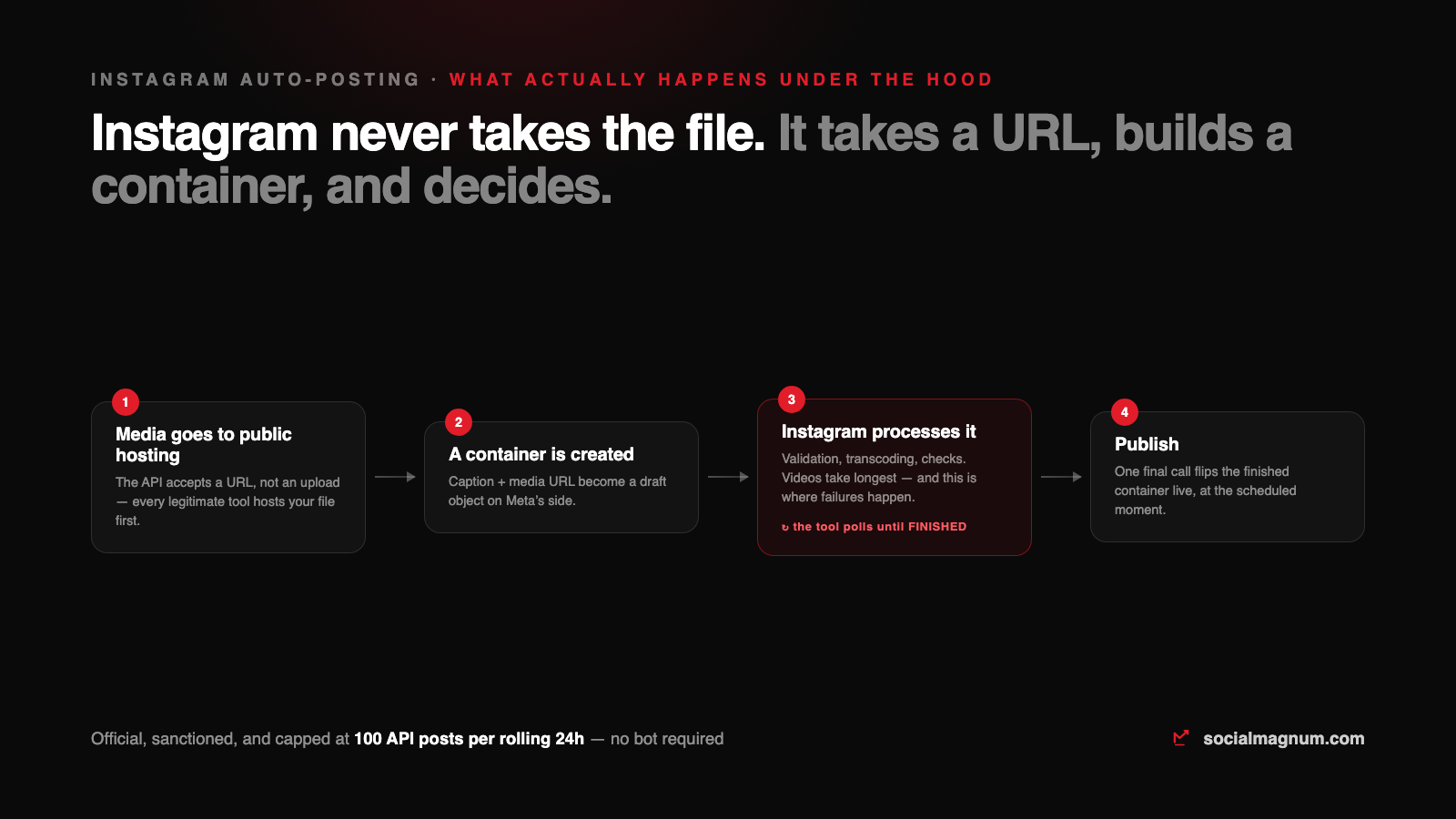
Here is the part that demystifies almost every Instagram publishing error. The API never accepts a file upload. Publishing is a three-step negotiation:
- 1. Your media goes to public hosting. The API takes a URL, so every legitimate tool first hosts your image or video — ours uses its own storage with links that exist just long enough to publish.
- 2. A container is created. Caption plus media URL become a draft object on Meta’s side, which Instagram then fetches, validates and — for video — transcodes.
- 3. The tool polls, then publishes. The container reports its processing status; when it reaches FINISHED, one final call flips it live. Videos take the longest, and a container can come back ERROR with famously unhelpful codes.
That design explains the behaviour people misread as flakiness: a Reel that publishes a minute after its slot was a container still transcoding; a “failed” video post was usually a format or duration the validator rejected. A good tool retries and reports the real reason; no tool can skip the pipeline.

The real limits, so you can plan around them
- 100 API-published posts per rolling 24 hours — Meta’s documented cap, with a carousel counting as one post. For a normal brand this is unreachable; for bulk importers it is why a tool spreads a giant queue across days.
- Formats are enforced at the container. JPEG for photos; Reels within Instagram’s duration and codec specs. The validator, not the tool, is the judge.
- Follower counts read live — when we probed the profile fields with real tokens, Instagram answered with current values, so a tool showing stale IG followers is caching on its own.
Does auto-posting hurt Instagram reach?
The myth survives because it once had a grain of truth in the bot era. Today Instagram ships its own scheduler inside the app for professional accounts, and Meta documents the publishing API for exactly this use. A platform does not build, document and cap a feature it intends to punish. What tanks reach is content-shaped: recycled watermarked videos, identical captions blasted everywhere, accounts that post daily and never answer a comment.
Setting it up in practice
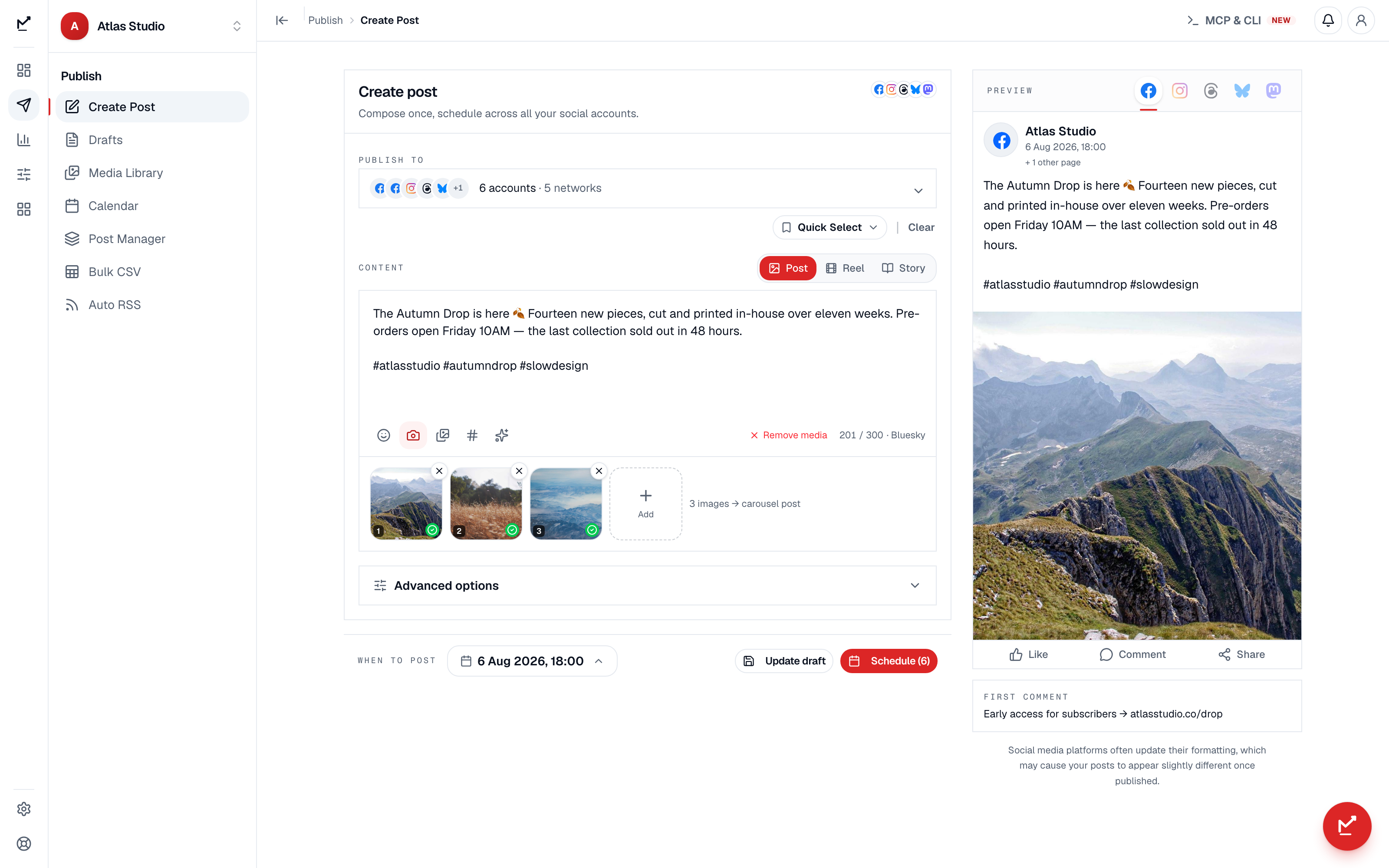
In any legitimate scheduler the flow is the same four moves: switch the account to Business or Creator, connect it over Instagram’s own login dialog, compose with the image or Reel attached, and pick the slot. From there the container pipeline runs unattended — and if you feed the queue from a spreadsheet or an RSS feed, Instagram only receives items that actually carry an image, because the API will not conjure media from a text-only source.
The mistakes that actually get accounts in trouble
- Giving a growth service your password. Password tools drive your logged-in session — the single fastest route to an action block, and they keep the credential.
- Confusing publishing tools with engagement bots.One is an API Meta documents; the other is what the terms prohibit. Vendors blur this line on purpose; the permission screen doesn’t.
- Reposting watermarked TikToks as Reels. Instagram has said for years it deprioritises visibly recycled video. Export clean, post native.
- Ignoring container errors. A failed video container is information — wrong codec, wrong duration, dead media URL. Tools that swallow the error teach you nothing; queues that retry forever teach Instagram you’re a robot.
The short version
- 1
Publishing automation is officially supported on Instagram; engagement automation is what gets accounts blocked. The permission screen is the boundary.
- 2
You need a Business or Creator account — personal accounts cannot API-publish through any tool.
- 3
Instagram publishes by container: hosted media URL → validation/transcoding → publish call. Most 'tool failures' are the validator speaking.
- 4
The documented cap is 100 API posts per rolling 24 hours, carousels counting once — invisible to brands, decisive for bulk imports.
- 5
Meta's newer Business Login connects Instagram directly — no Facebook detour — and reach is shaped by content, not by whether software pressed publish.