Instagram Auto Reply: Six Features, One Name
Six different features get called Instagram auto reply, and one of them is not automated at all. What each does, the platform rule that governs all of them, and the delivery detail that quietly undercuts comment-to-DM campaigns.
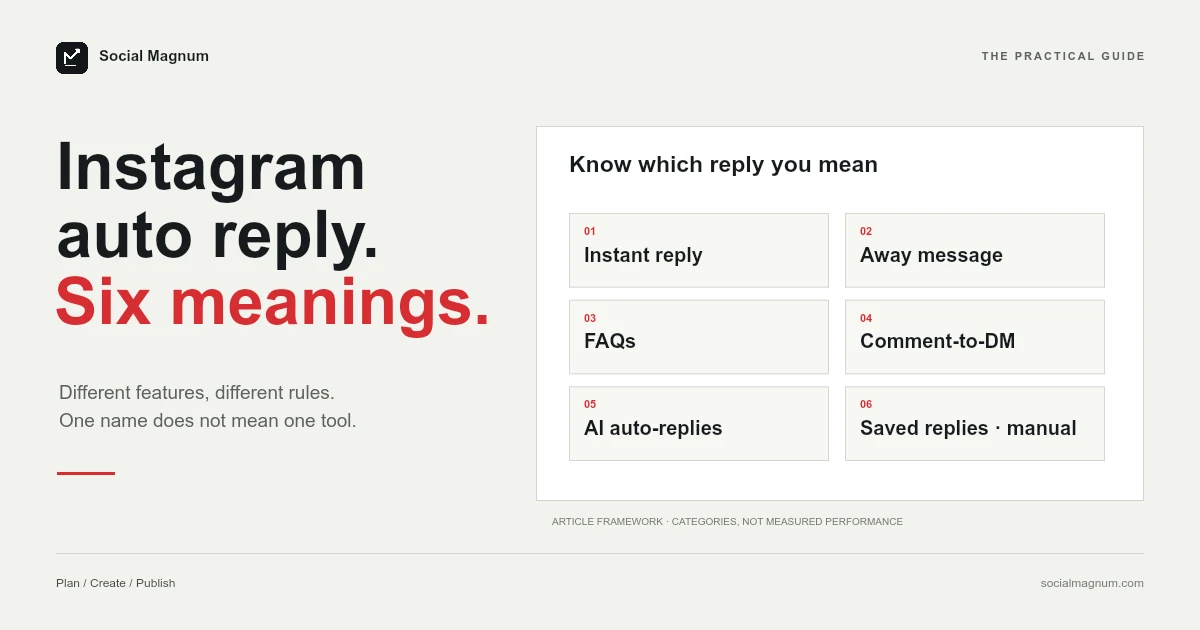
Six different features get called “Instagram auto reply”. Five of them are genuinely automatic. The sixth is not automated at all, and it is the one page one keeps recommending.
That confusion is worth untangling before you set anything up, because the five real ones have different limits, live in different places, and are governed by a platform rule that decides whether any of them will work for you.
Six features, one name
| What it is | Where it lives | Actually automatic? |
|---|---|---|
| Auto reply | Meta Business Suite | Yes — greets a first-time messager |
| Away message | Meta Business Suite | Yes — fires when you are unavailable |
| Frequently asked questions | Business Suite and the app | Yes — up to four |
| Comment to message | Meta Business Suite, desktop | Yes — keyword comment to DM |
| AI auto-replies | Instagram app | Yes — creator AI, still rolling out |
| Saved or quick replies | Instagram app | No — a manual shortcut |
The last row is the one that causes trouble. A saved reply is a shortcut: you type a short code and it expands into a longer message that you then send yourself. Nothing happens without you.
They all need the other person to move first
Before comparing features, the rule that governs every one of them: on Instagram you can automate a reply, and almost nothing else.
Meta’s messaging policy, updated in April 2026, puts it in one line — businesses have up to 24 hours to respond to a user. That window opens when someone messages you, comments, or otherwise makes contact. Inside it you can reply, and the reply is even allowed to be promotional. Outside it, you cannot start a conversation at all.
This is why the tools that promise to DM a list of strangers keep getting accounts restricted. They are not using a feature Instagram offers badly; they are doing something the platform does not offer.
Can Instagram auto-reply to comments with a DM?
The single most-wanted version of this — someone comments LINK on your reel and automatically gets a DM — is the one page one tells you to buy a third-party tool for.
Google’s AI Overview for this query recommends “an official Meta partner tool like ManyChat” for exactly this use case. But Meta Business Suite lists it among its own Inbox automation templates, described as sending a message reply to comments on your posts that contain specific keywords or phrases.
Meta does add a caveat worth repeating honestly rather than glossing: automations are set up per channel, and it notes that some automations may not be available for some channels. So check it against your own account rather than taking either our word or ManyChat’s. The point is that the native option exists and page one does not mention it.
Why does the auto DM land in Requests?
Here is the finding that matters most, and we have not seen it on a single page ranking for this query.
When you auto-DM someone who commented, Meta’s developer documentation is explicit about where the message goes: to the person’s Inbox if they follow your account, and to their Request folder if they do not.
The rest of the same page sets out limits that are just as rarely mentioned. You get one message per comment, not a sequence. It must be sent within seven days of the comment. On Instagram Live it must go out during the broadcast, because once the stream ends the opportunity is gone entirely.
And the conversation only continues if they answer. Their reply is what opens the 24-hour window that lets you say anything further.
None of that makes comment-to-DM a bad tactic. It does mean the honest version of the pitch is narrower than the one being sold: one message, seven days, and a meaningful share of it landing in a folder your audience may never check.
Three constraints in the setup itself
Meta’s own instructions carry three limits that will each cost you an afternoon if you meet them by surprise.
- Keyword automations are desktop-only. Meta states that keyword automations are only available in Meta Business Suite on desktop. If you went looking for this on your phone and concluded it did not exist, that is why.
- The AI agent switches your automations off. Turning on Meta Business Agent pauses existing automations such as away messages and instant replies. They are not deleted, so nothing looks broken — they simply stop firing.
- Europe and Japan are restricted. The same page carries a notice that certain organic messaging features for businesses delivered to and from Europe and Japan are unavailable. If you are running an EU account, confirm what you actually have before building a plan on it.
Meta also notes that custom automations take priority over template ones and are sent first, which is the sort of detail that only matters when two rules match the same message and you are trying to work out why the wrong one answered.
The result ranking first is a different product
Search this term and the top organic result is Instagram’s own page about AI auto-replies. It is a reasonable page. It is also not what most people searching this are looking for.
AI auto-replies are part of creator AI: an assistant that answers your DMs using your own content as a knowledge base. Instagram’s page is candid about the constraints — the feature is being gradually introduced and may not be available to you yet, it works only in the Instagram mobile app, and every reply it sends is labelled with “AI” and your name so the other person knows.
Instagram also notes its AIs have only been trained in English, which it says may produce lower-quality responses in other languages.
For a creator fielding fan messages at volume, that is a genuinely useful tool. For a shop that wants everyone commenting PRICE to receive a link, it is the wrong feature entirely — and it is the first thing Google shows you.
You may be legally required to say it is a bot
This one is absent from every guide we read for this query, and it is the only item here with legal consequences.
Meta requires automated chat experiences to disclose that the person is talking to an automated service where applicable law requires it, and specifies three moments: at the start of a conversation, after a significant lapse of time, and when a chat moves from a human back to automation.
The documentation names two markets that should pay particular attention — California and Germany. Meta suggests wording as plain as saying you are an automated experience, and recommends disclosure even where it is not required.
Meta also holds automated bots to a responsiveness standard: they must reply to user input within 30 seconds. It is a reasonable bar, and it rules out any design that queues messages for a human to approve before the first response goes out.
What we learned building one
We ship auto-reply for Instagram comments and DMs, so some of what follows is the sound of us walking into things.
- Your own comments come back in the same list. Including the first comment you posted yourself. Answer one and the answer is a new comment, which matches, which gets answered. A rule with no self-check does not misfire once; it runs forever.
- A short lookback window looks identical to a broken feature. Our first dry run used 24 hours. It read 196 comments and discarded all 196 as too old. Everything was working perfectly and the output was zero. We moved to seven days.
- Match on whole words. Without word boundaries, a rule watching for dm fires on admin, and one watching price fires on priceless. Both read fine in a settings screen and are mortifying in public.
- Record that you are replying before you reply. If you instead track the time of the last run, an interrupted run re-sends everything it already sent. Claiming each comment first means a crash leaves it unanswered, which is the right way to fail.
That collector is the one in Social Magnum’s plans.
Which one you actually want
Working backwards from the job rather than the feature name:
| If you want to… | Use |
|---|---|
| Greet everyone who messages you | Auto reply, in Business Suite |
| Cover nights and weekends | Away message |
| Answer the same four questions | Frequently asked questions |
| DM people who comment a keyword | Comment to message, on desktop |
| Have an AI field fan DMs | AI auto-replies, if you have it yet |
| Type less while replying yourself | Saved replies — not automation |
For a single account, the native tools cover most of this and cost nothing. The case for anything else begins where they stop: several accounts at once, more than four questions, keyword rules you want to reason about, and a record of what fired and what did not. If the posts themselves are queued in advance, the limits are in how to schedule Instagram posts.
Our guide to posting times makes a related point about Instagram advice generally: the specific claims are easy to check, and checking them changes the answer more often than you would expect.
The short version
- 1
Six features share the name; saved replies are a manual shortcut, not automation
- 2
You can only automate replies to people who contacted you — a 24-hour window
- 3
A comment-to-DM reply lands in Requests if the commenter does not follow you
- 4
Keyword automations are desktop-only, and Meta Business Agent pauses existing ones
- 5
Disclosure may be legally required, and Meta names California and Germany